From draft to close: a voucher's life cycle
The states of an accounting voucher in GoSoft (pending, finalized, voided), how to correct an error depending on whether the month is open or closed, the change log and internal control.
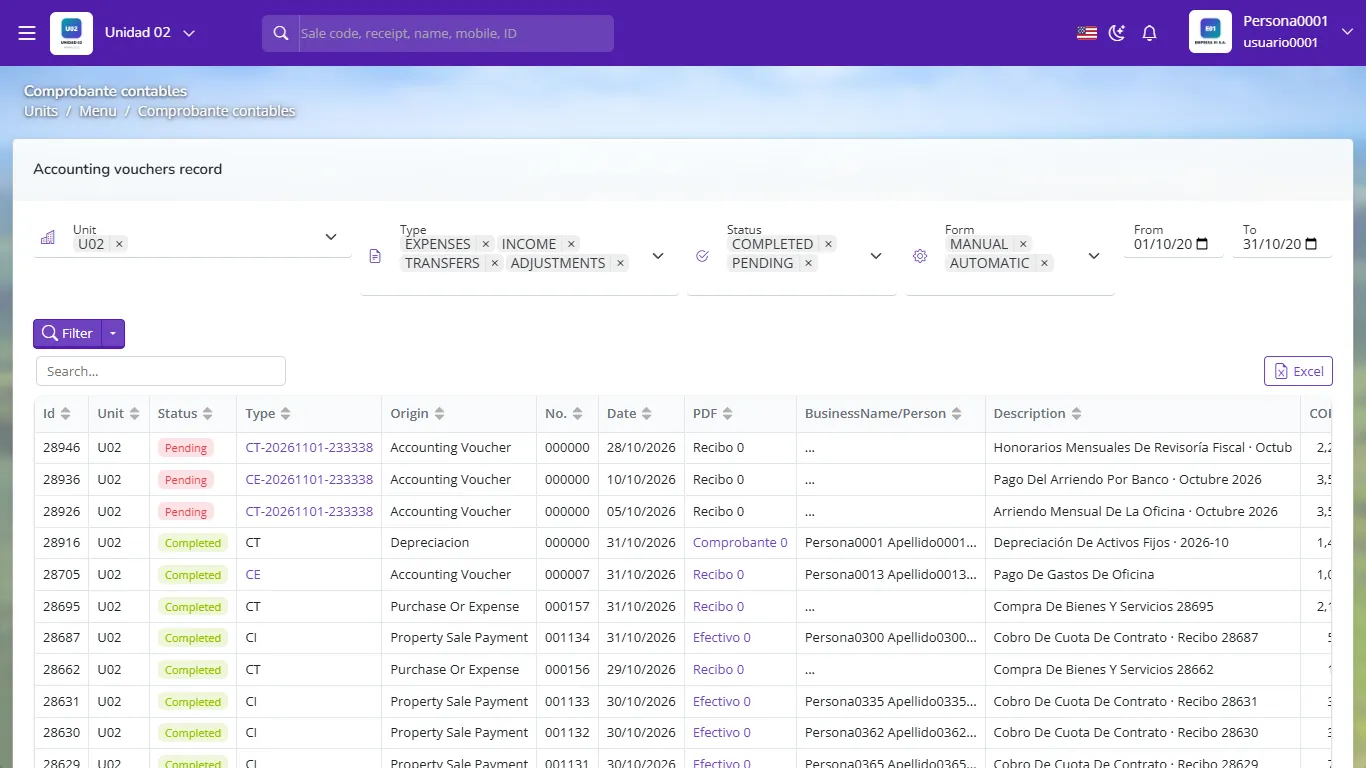
A voucher is not born final. It goes through states that protect the information: first it is prepared, then reviewed and finalized, and when the month closes it is locked. Knowing each voucher's state is part of internal control.
- Recognize a voucher's states and what each allows.
- Correct an error the right way depending on whether the month is open or closed.
- Use the change log to know who did what.
The states
| State | Meaning | In the books? | Editable? |
|---|---|---|---|
| Pending (draft) | Prepared, not reviewed | No | Yes |
| Finalized | Reviewed and numbered | Yes | Only while the month is open and with permission |
| Voided | No effect; the record remains | No | No |
How to correct an error
If the voucher is pending: edit it freely.
If it is finalized and the month is still open: edit the lines, or void it and record a new one. Use the narration to explain the correction.
If the month is already closed (or filed): do not touch the past. Record in the current month an adjusting voucher that reverses the effect. The Reverse lines tool helps: it clones the voucher with debits and credits swapped.
| Account | Debit | Credit |
|---|---|---|
| Bank | 450,000.00 | |
| Office supplies | 450,000.00 | |
| Equal totals | 450,000.00 | 450,000.00 |
A voucher generated by a sale, collection or purchase is corrected from the source operation (void the receipt, reverse the contract, void the purchase). If you edit it by hand, the module and the books stop matching.
The change log
Each voucher keeps a log: who created it, who modified or finalized it and when. In an audit it answers "who changed this?".
Segregation of duties
In medium-sized companies the person who prepares should not be the one who finalizes, and whoever pays should not be the one who records. GoSoft handles per-user permissions to separate these tasks.
- Deleting wrong vouchers instead of voiding or reversing them: traceability is lost.
- Hand-editing the entry of an automatic sale.
- Reopening already-filed months to "fix" something without leaving a trail.
Does a pending voucher appear in the journal?
No. Only finalized ones do.
In November you find an error in a September payment that was already filed. What do you do?
Record in November an adjusting voucher that reverses the effect, then the correct entry; September is not modified.
How do you correct the entry of a collection made from the real estate module?
From the module: voiding or correcting the receipt, not hand-editing the voucher.