Module accounting settings
How to set the accounts GoSoft uses to book automatic entries: numbering, currencies, funds (cash and banks), receivables, inventory, liabilities, taxes and the real estate sales settings.
Automatic accounting works because someone first told the system which account to use in each case: which account receives the cash from a collection, which one the revenue from a sale, which one the VAT. That is the accounting setup (also called account mapping or posting rules).
- Understand the link between a module operation and the entry's accounts.
- Walk through the sections of GoSoft's accounting settings.
- Review the setup before you start recording.
The idea: operation → accounts
| Operation | Accounts the system needs |
|---|---|
| Installment collection | Fund receiving the money (cash or bank), customer receivable, interest income |
| Property sale | Receivable, sales revenue, cost of sales, property inventory |
| Merchandise purchase | Inventory or expense, input VAT, suppliers or payment fund |
| Merchandise sale | Fund or receivables, revenue, output VAT, cost of sales, inventory |
| Salesperson commission | Commission expense, commissions payable |
If one of these accounts is missing, the entry would be incomplete. GoSoft prevents it in two ways: the settings come with defaults and, if an account is missing, it finds or creates it in the chart.
In GoSoft, step by step
Open Settings (global settings). The Main accounting tab gathers what is common to all modules.
gosoft.app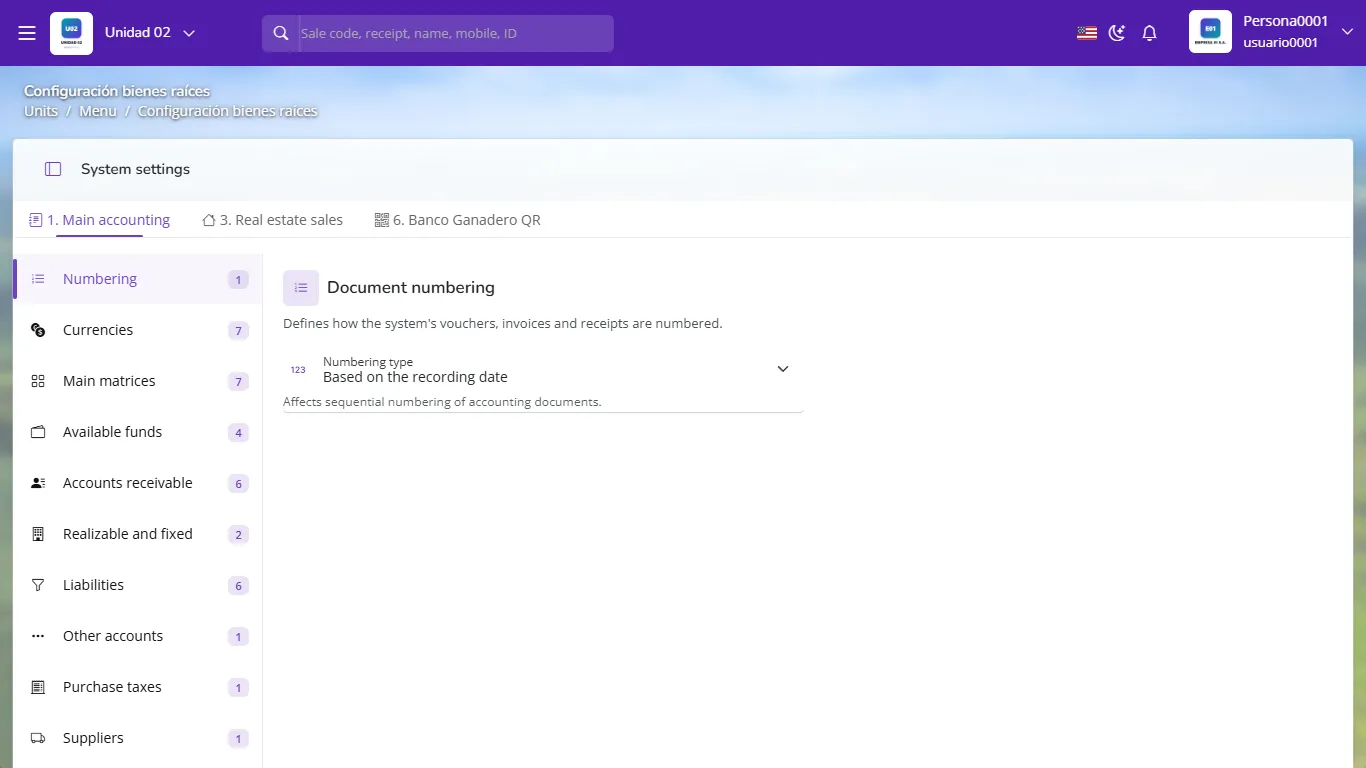
Accounting settings: numbering, currencies, funds, receivables, liabilities and taxes Numbering: choose how vouchers are numbered (continuous sequence or by document date).
Currencies: main currency, second currency and exchange rates.
Main mappings and Available funds: the cash and bank accounts offered when collecting or paying. Each fund is a detail account in the chart.
Receivables, Inventories and fixed assets, Liabilities and Other accounts: the accounts modules use for customers, inventory, suppliers, commissions and advances.
Purchase taxes and Suppliers: input VAT and payables.
Each module's tab (for example Property sales) holds its own accounts: sales revenue, interest, cost, lot inventory and commissions.
Changing an account in the settings does not rewrite entries already booked: it affects new ones. Review the setup with your accountant at the start. If there are already movements with the wrong account, accounting health helps you find them.
The setup is a starting point
Settings values are defaults: on many screens the user can choose another account or fund for a specific operation (for example, collecting into another bank). Only when the company decides to lock editing can the user not change it.
- Using the same cash account for every branch: you cannot reconcile each till.
- Leaving interest income in the same account as the principal sale.
- Changing the settings mid-month without telling the accountant.
What is the accounting setup?
The accounts the system uses by default to build each operation's automatic entry.
If you change the revenue account in the settings, are prior sales corrected?
No. The change affects new entries; earlier ones are reviewed and corrected separately.
What is a fund in GoSoft?
A cash or bank account where money from collections and payments comes in or goes out.