Budget vs. actual
How to build an annual budget by account, month, unit and cost center, load it from the prior year's actuals or from Excel, and compare it with actual results to analyze variances in GoSoft.
The budget is the company's financial plan expressed in ledger accounts: how much it expects to sell, spend and invest, month by month. Its value lies in comparing it with actuals: variances tell you where to act.
- Build a budget by account, month, unit and cost center.
- Load it quickly from the prior year's actuals or from Excel.
- Analyze budget vs. actual variances.
How it is built
- Sales: the base of everything. Units or lots to sell per month and their price.
- Costs: driven by sales (cost of lots or merchandise).
- Expenses: by cost center, with their owners (administration, sales, operations).
- Investing and financing: asset purchases, loans.
A popular shortcut: start from the prior year's actuals and adjust by a percentage (inflation, expected growth) and known changes.
Variance analysis
| Account | Budget | Actual | Variance | % |
|---|---|---|---|---|
| Sales revenue | 320,000,000 | 300,000,000 | −20,000,000 | −6.3% |
| Selling expenses | 40,000,000 | 45,000,000 | +5,000,000 | +12.5% |
| Administrative expenses | 72,000,000 | 70,000,000 | −2,000,000 | −2.8% |
Reading: sales fell short and selling expenses ran over. Question for management: did the extra advertising not work, or will the sales come next month?
For revenue, actual above budget is favorable; for expenses, actual above budget is unfavorable. GoSoft colors each variance according to the account type.
In GoSoft, step by step
Open Financial reports → Budget. Choose the fiscal year, the unit and, if you wish, the cost center.
gosoft.app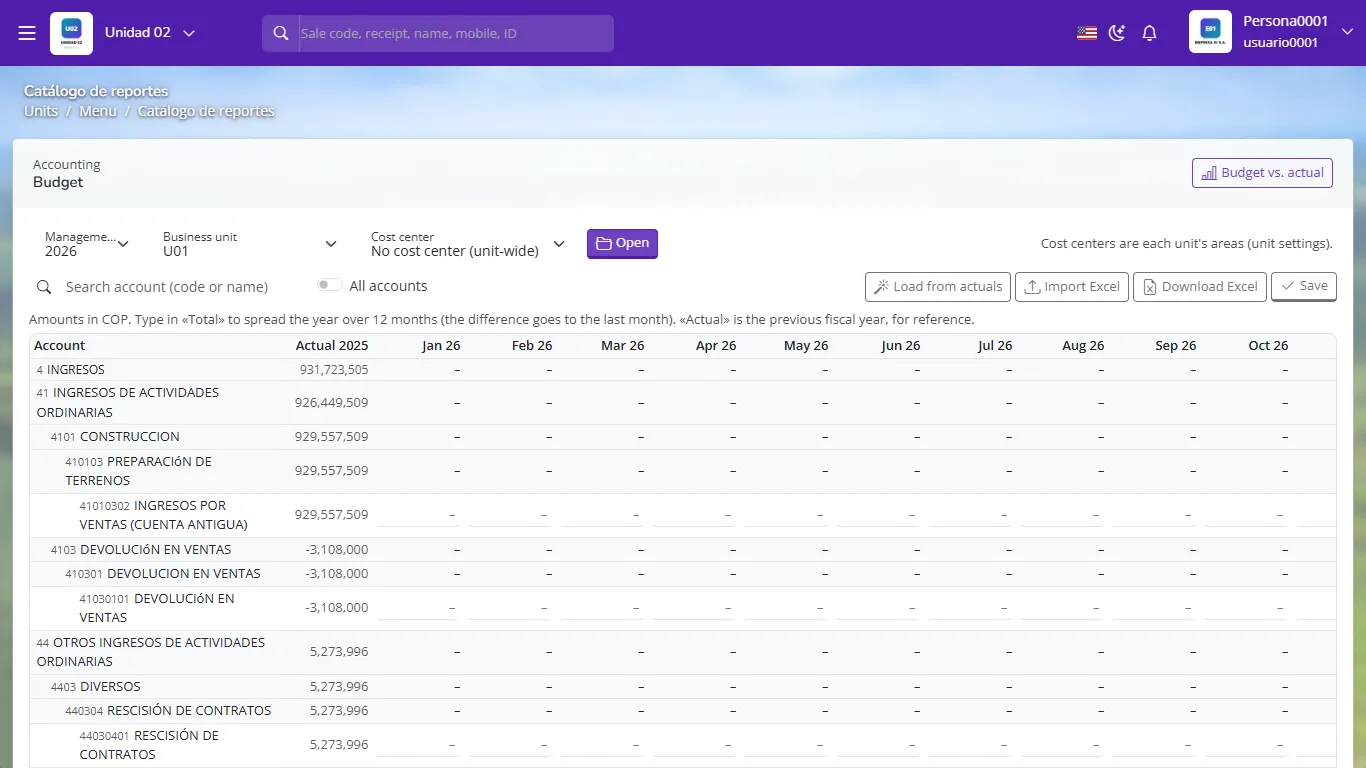
Budget editor by account and month Enter each account's amounts for the twelve months, or use From actuals (choose the source year and a % adjustment) or Import from Excel or CSV (account code and twelve months).
Save. You can keep one budget per unit and per cost center.
Open Budget vs. actual: choose year, units and period and click View. You see budget, actual, variance and execution percentage by account.
gosoft.app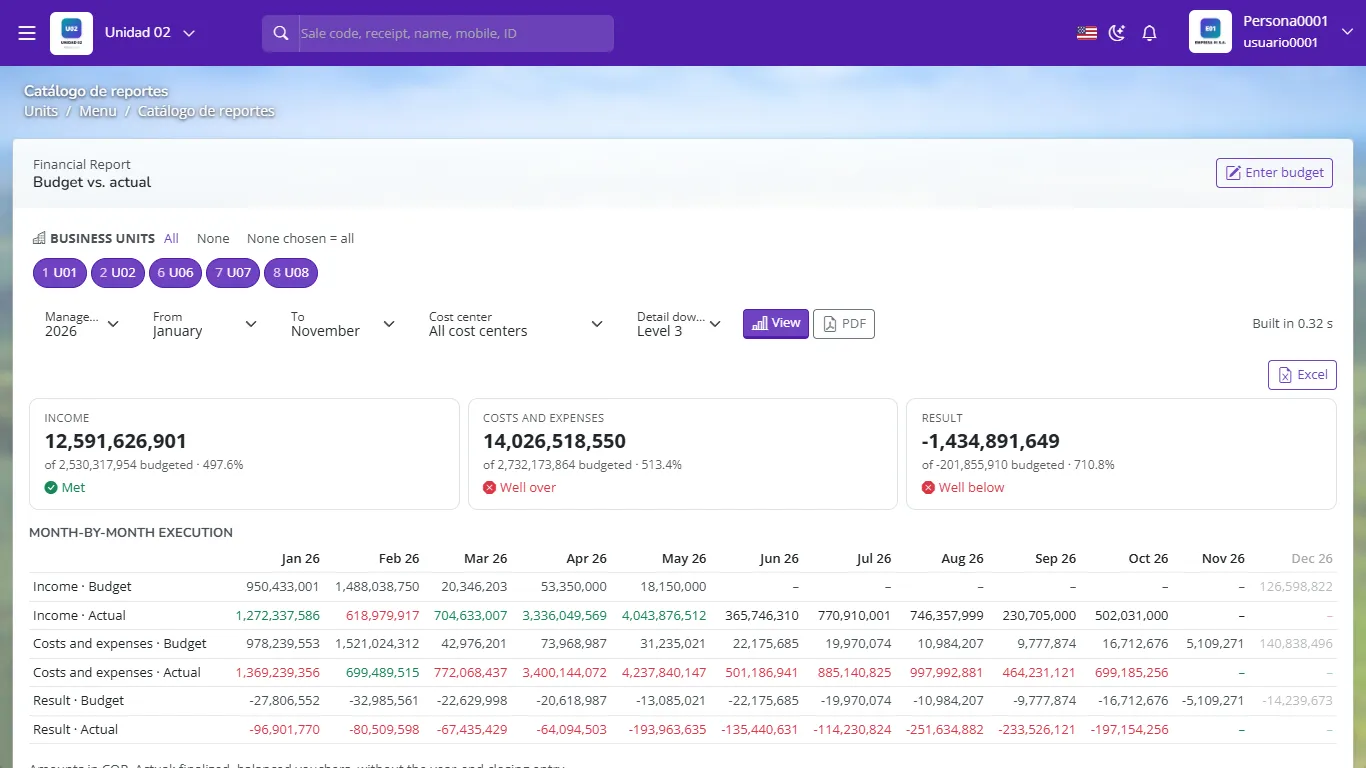
Budget vs. actual with variances by account Download the PDF for the management meeting.
- Building the budget and never looking at it again.
- Budgeting only the annual total without monthly phasing (variances show up late).
- Not assigning owners per cost center.
Expense budget 50, actual 58. Is the variance favorable or unfavorable?
Unfavorable: 8 more was spent than planned (16%).
What does the From actuals option do?
It copies a prior year's actual amounts as the budget, with the percentage adjustment you choose.
Why budget by cost center?
So each area owner controls their own spending against their plan.