The opening entry
What the opening entry is, when it is recorded (new company, system change or new fiscal year), how to build it from the opening balance sheet and how GoSoft generates it when closing the year.
The opening entry records the balances a period starts with: what the company has, owes and is worth on a date. It is used in three situations:
- New company: the initial contribution (sometimes just the capital contribution).
- System change: you move a company that was already operating to GoSoft and load its balances.
- New fiscal year: after the annual closing, balance sheet balances carry over to the next year.
- Build the opening entry from an opening balance sheet.
- Load balances with their detail by customer, supplier and document.
- Understand how GoSoft generates the opening when closing the year.
Example: migrating Empresa 01 S.A. to GoSoft
Balance sheet at 12/31/2025 (in COP):
| Account | Debit | Credit |
|---|---|---|
| Bank | 297,000,000.00 | |
| Accounts receivable (detail by customer and contract) | 55,000,000.00 | |
| Land (property inventory) | 270,000,000.00 | |
| Bank loans | 100,000,000.00 | |
| Share capital | 500,000,000.00 | |
| Retained earnings | 22,000,000.00 | |
| Equal totals | 622,000,000.00 | 622,000,000.00 |
Receivables must be loaded by customer (and, in real estate, by contract), payables by supplier and banks by bank account. If you load a single total, you will not be able to collect, reconcile or show the ledger by party later.
In GoSoft, step by step
Prepare the closing trial balance from the previous system and the detail listings (customers, suppliers, banks, inventory, fixed assets).
Open Financial reports → Year closing and opening, section Opening entry. Choose the unit, the date (first day of the period) and the narration.
gosoft.app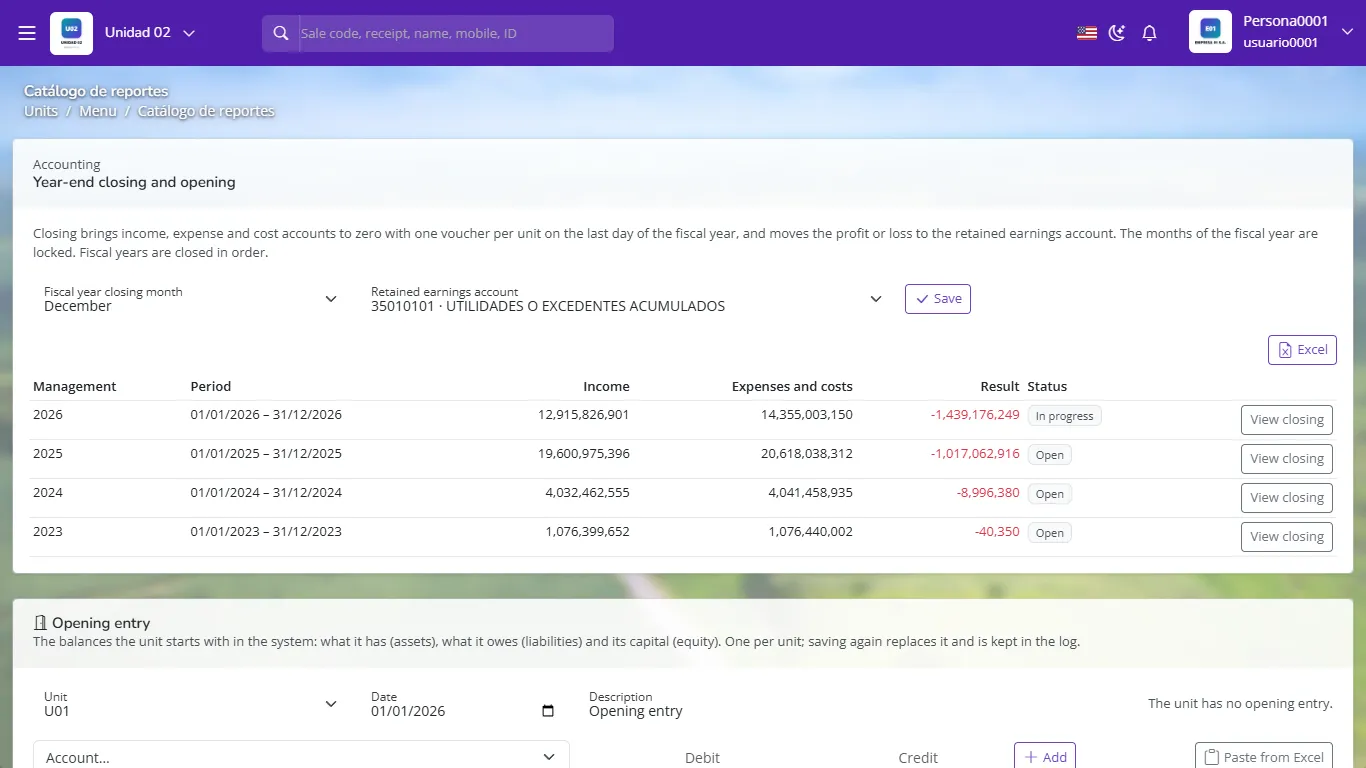
Year closing and the opening entry panel by unit Add each account with its balance and its party (person) when the account requires it, or use Paste from Excel to load the whole balance sheet at once. There is one opening entry per unit; saving it again replaces it and the change is logged.
Check that it balances and that GoSoft's balance sheet on the first day matches the previous system's balance sheet.
For modules (contracts with their payment plan, lot inventory, fixed assets) use their own loading screens, so the system knows pending installments and each asset's values.
Opening the new fiscal year
When the year is closed, GoSoft closes income statement accounts against equity and builds the next year's opening with balance sheet balances. See Closing months and the fiscal year.
- Including revenue or expense accounts in the opening.
- Loading customers as a single global balance.
- Not reconciling the opening with the previous balance sheet before recording.
Which accounts does the opening entry include?
Only balance sheet accounts: assets, liabilities and equity.
Why load customers one by one?
To be able to collect, view the ledger by customer and reconcile receivables.
How do you check the migration is right?
By comparing GoSoft's balance sheet on the first day with the previous system's closing balance sheet.