Cost centers
What a cost center is, how to design areas and sub-areas, how to create them in GoSoft and how to assign them in purchases, vouchers and budgets to analyze spending by department.
A cost center is an area of the company to which expenses and costs are assigned to know how much it costs and who is responsible: administration, sales, construction, production, logistics.
- Design a useful structure of areas and sub-areas.
- Create cost centers in GoSoft.
- Assign the cost center in purchases, vouchers and budgets.
- Read statements by cost center.
Account, unit and cost center: three different questions
Each line of an entry answers three questions:
| Dimension | Question | Example |
|---|---|---|
| Account | What is it? | Rent |
| Business unit | In which project or branch? | Unidad 02 |
| Cost center | In which area? | Administration › Management |
With all three you can answer questions like "how much did Unidad 02's sales area spend on advertising this quarter?" without creating new accounts.
The classic mistake is creating "Advertising sales", "Advertising admin", "Advertising construction"… Use one Advertising account and the cost center. The chart stays clean and the analysis is more flexible.
How to design the structure
- A few areas (3 to 8), each with a responsible person.
- Sub-areas only where they support decisions.
- Stable names: cost centers are used to compare across years.
Example used at Empresa 01 S.A.:
| Area | Sub-areas |
|---|---|
| Administration | Management, Accounting, Human resources |
| Commercial | Sales, Marketing |
| Operations | Centro 01, Centro 02 (sites or work fronts) |
| Finance | Treasury, Collections |
In GoSoft, step by step
Choose the business unit and open My company. Further down is the unit's Cost centers card.
gosoft.app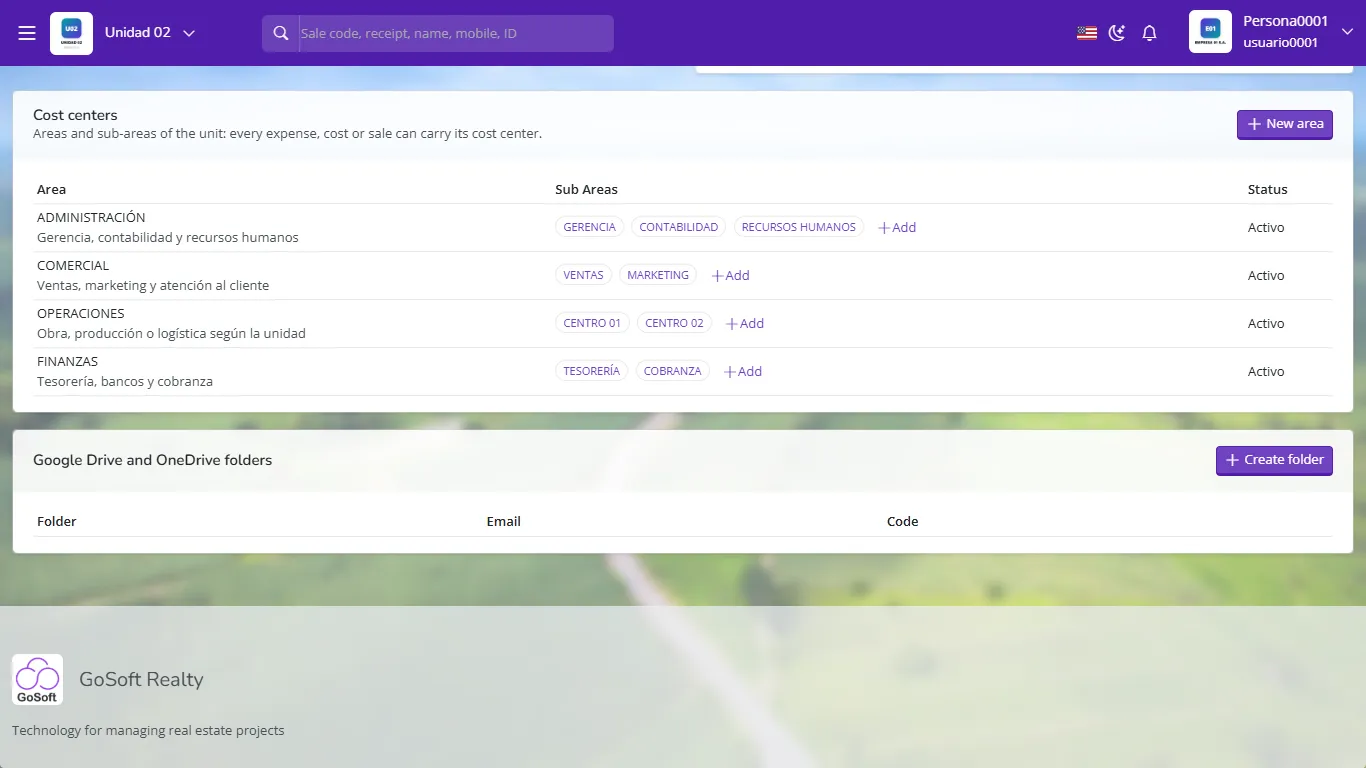
Unidad 02 cost centers: areas and sub-areas Click New area, type the name, a description and the person responsible. You can set the default expense and cost accounts.
gosoft.app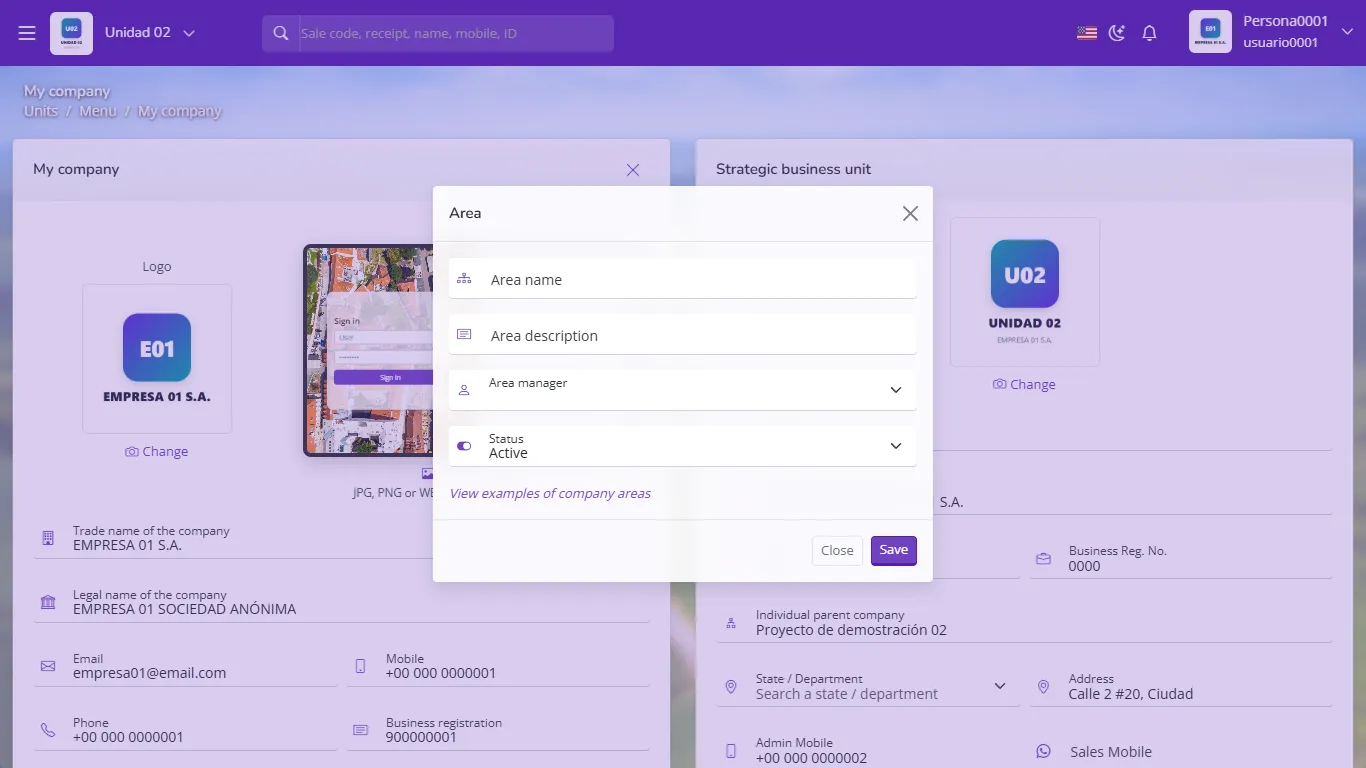
Creating a new area In each area use Add to create its sub-areas.
When you record a purchase or expense, choose the cost center; in purchases it applies to every line.
In manual vouchers and recurring entries, each line can carry its cost center.
Build the budget by cost center and compare it with actuals in Budget vs. actual.
Reading results by cost center
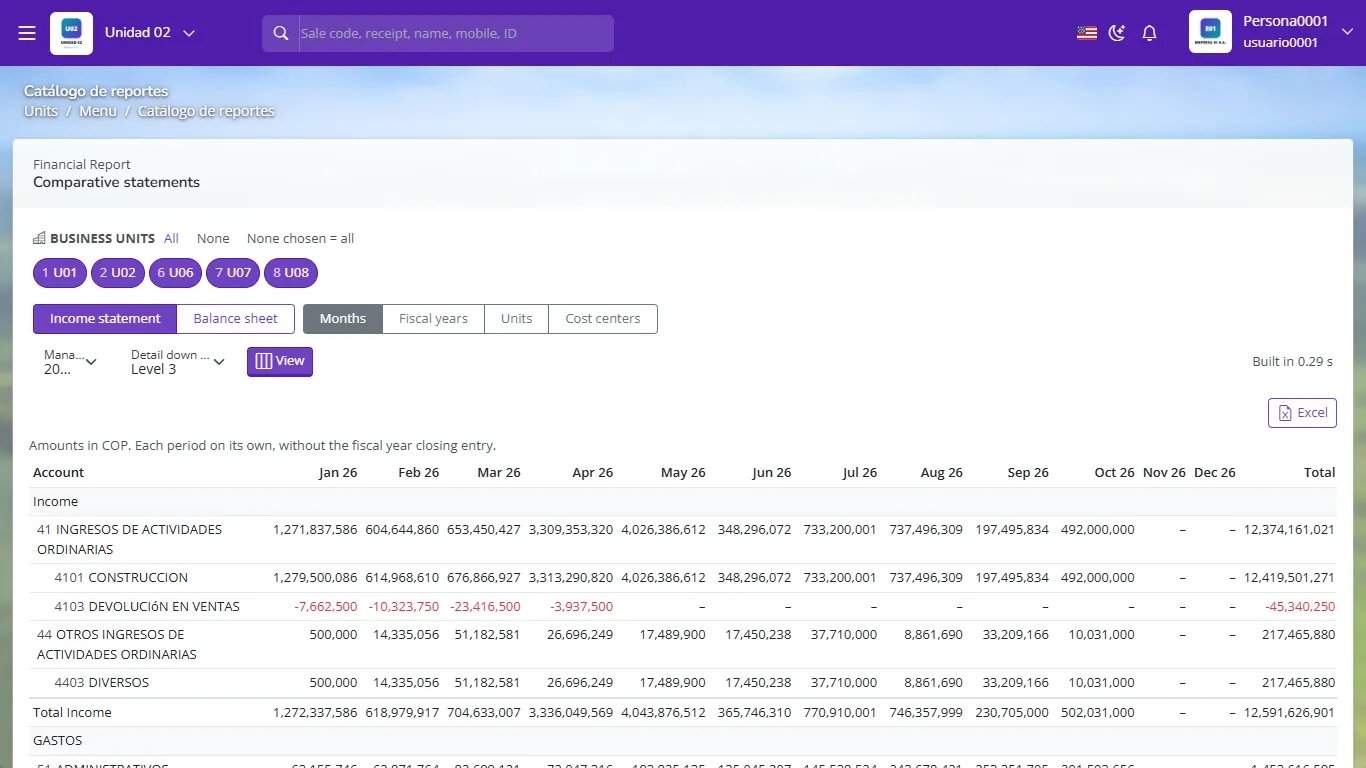
In Comparative statements choose by cost center: GoSoft shows one column per area, plus a column for what has no center assigned. You see where spending concentrates.
- Leaving expense lines without a cost center: they fall into "no center" and the analysis loses value.
- Using cost centers for what is really a business unit (another branch, another project).
- Renaming areas every year: it prevents comparison.
Which question does the cost center answer?
In which area of the company the expense or cost occurred.
Is it good practice to create one advertising account per area?
No. Use one advertising account and assign the cost center on each line.
Where are cost centers created in GoSoft?
In My company, on the active unit's Cost centers card: New area and, inside each area, Add sub-area.
Which report compares spending across areas?
Comparative statements, choosing the cost center view.