Tax returns by country
How to prepare periodic tax returns (VAT, transaction taxes, withholdings, income tax) from the books, with each country's forms, and how GoSoft computes draft returns to review and file.
Every month (or two months, quarter or year, depending on the tax and country) the company must file with the tax authority how much tax it owes. If the books are up to date and well configured, the return is almost an automatic result of the ledger.
- Know which periodic returns a typical company files.
- Compute a VAT return from ledger balances.
- Prepare draft returns in GoSoft and mark them as filed.
The most common returns
| Tax | Typical frequency | Basis in the books |
|---|---|---|
| VAT (or equivalent) | Monthly or bimonthly | Output tax − input tax (VAT books) |
| Withholdings made | Monthly | Withholdings payable accounts |
| Gross receipts or transaction taxes | Monthly | Revenue invoiced in the period |
| Income tax prepayments | Monthly or quarterly | Revenue or prior-year tax |
| Income tax | Yearly | Accounting profit adjusted for tax differences |
Each country has its forms, deadlines (often based on the last digit of the tax ID) and portal. The pages in Module 12 summarize them.
Example: Bolivia, October 2026 (Empresa 02 S.A.)
Form 200 · VAT
| Item | Amount (BOB) |
|---|---|
| Taxable sales (1,414 invoices) | 4,781,970.13 |
| Output VAT (13%) | 621,656.06 |
| Purchases with input tax | 441,072.00 |
| Input VAT | 57,339.36 |
| Tax payable | 564,316.70 |
Form 400 · IT: 3% of gross invoiced revenue (4,781,970.13) = 143,459.10.
The payment is recorded like this:
| Account | Debit | Credit |
|---|---|---|
| Output VAT payable | 621,656.06 | |
| Input VAT | 57,339.36 | |
| Bank | 564,316.70 | |
| Equal totals | 621,656.06 | 621,656.06 |
Figures come from the period's books for you to enter in the tax authority's portal. Always review them with your accountant before filing: there may be prior credits, offsets, incentives or special regimes.
In GoSoft, step by step
Open Financial reports → Tax returns. At the top you see the country and its accounting framework.
Choose the units (usually all: the return belongs to the company), the month and the period (monthly, bimonthly…). Click Calculate.
gosoft.app
Draft returns for the period: VAT and IT (Bolivia) Review each form: GoSoft shows the bases, the tax and the attachments (for example, the VAT books).
Enter the amounts in the tax portal and file. Then click Mark as filed to keep a record.
Download the PDF or Excel of the drafts as working papers.
gosoft.app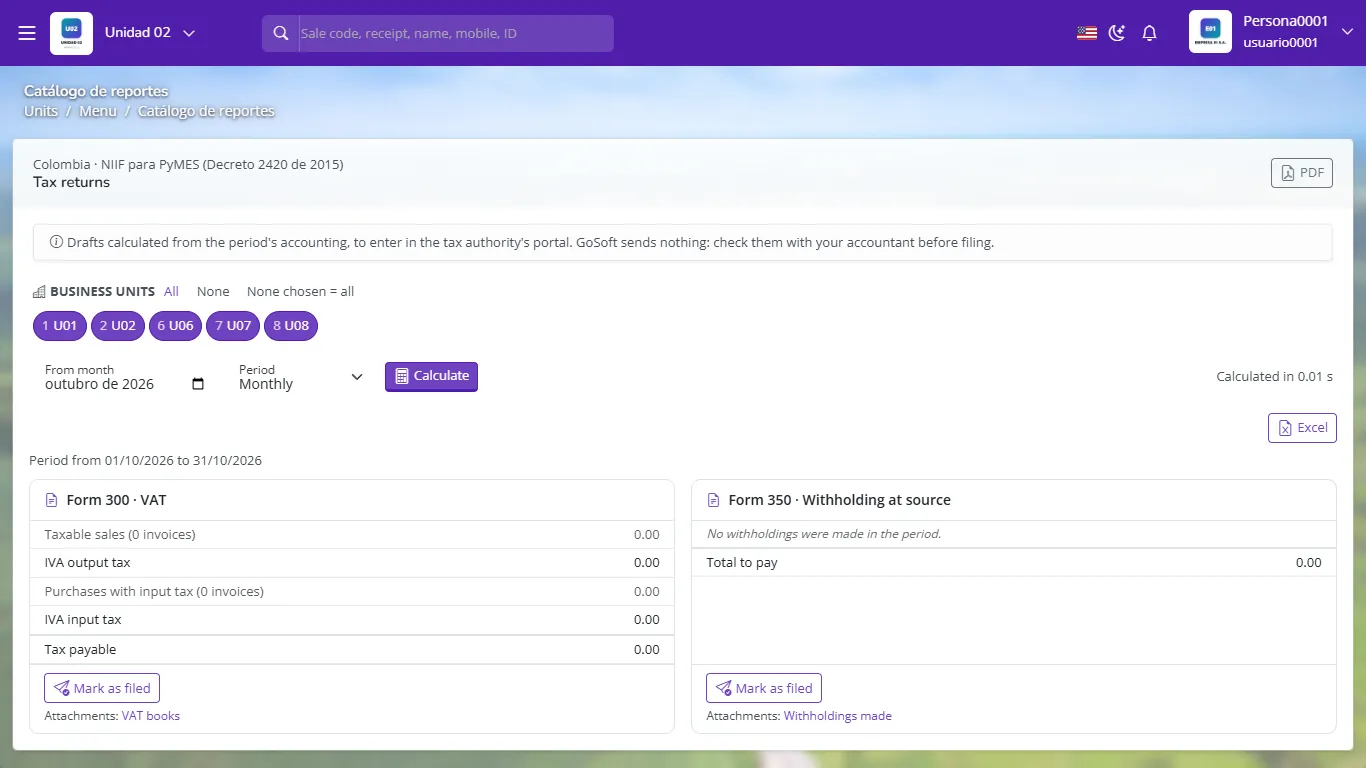
Tax returns for a company in Colombia
Late-filing penalties are usually high. Build a calendar with your country's dates and file a few days before the deadline.
- Filing without reconciling the VAT books with the ledger.
- Forgetting the prior period's credit balance.
- Recording the tax payment as an expense instead of settling the liability.
Output tax 300, input tax 120. How much VAT do you pay?
180.
Is paying the month's VAT an expense?
No. It settles the liability (output VAT payable) net of input tax.
Does GoSoft file the return with the tax authority?
No. It computes drafts from the books; the company reviews them and files on the official portal.